Quickstart
Add UsePod as the base URL of any OpenAI- or Anthropic-compatible client. No SDK changes, no auth changes.
-
Get a token and deposit address.
Terminal window curl -X POST https://api.usepod.ai/v1/registerThe response includes your
<token>and a USDC deposit address. -
Fund your balance.
Top up by card at
usepod.ai/fundor send USDC to the deposit address. See Funding your balance. -
Point your client at UsePod.
Terminal window # Anthropic-compatible (e.g. Claude Code)ANTHROPIC_BASE_URL=https://api.usepod.ai/proxy/<token> claude# OpenAI-compatible (e.g. Cursor or the OpenAI SDK)OPENAI_BASE_URL=https://api.usepod.ai/proxy/<token>/v1 cursor -
Send requests as usual.
Your existing code is unchanged. Each request is debited from your balance, and responses carry an
X-Balance-Remainingheader.
Walk through it in the dashboard
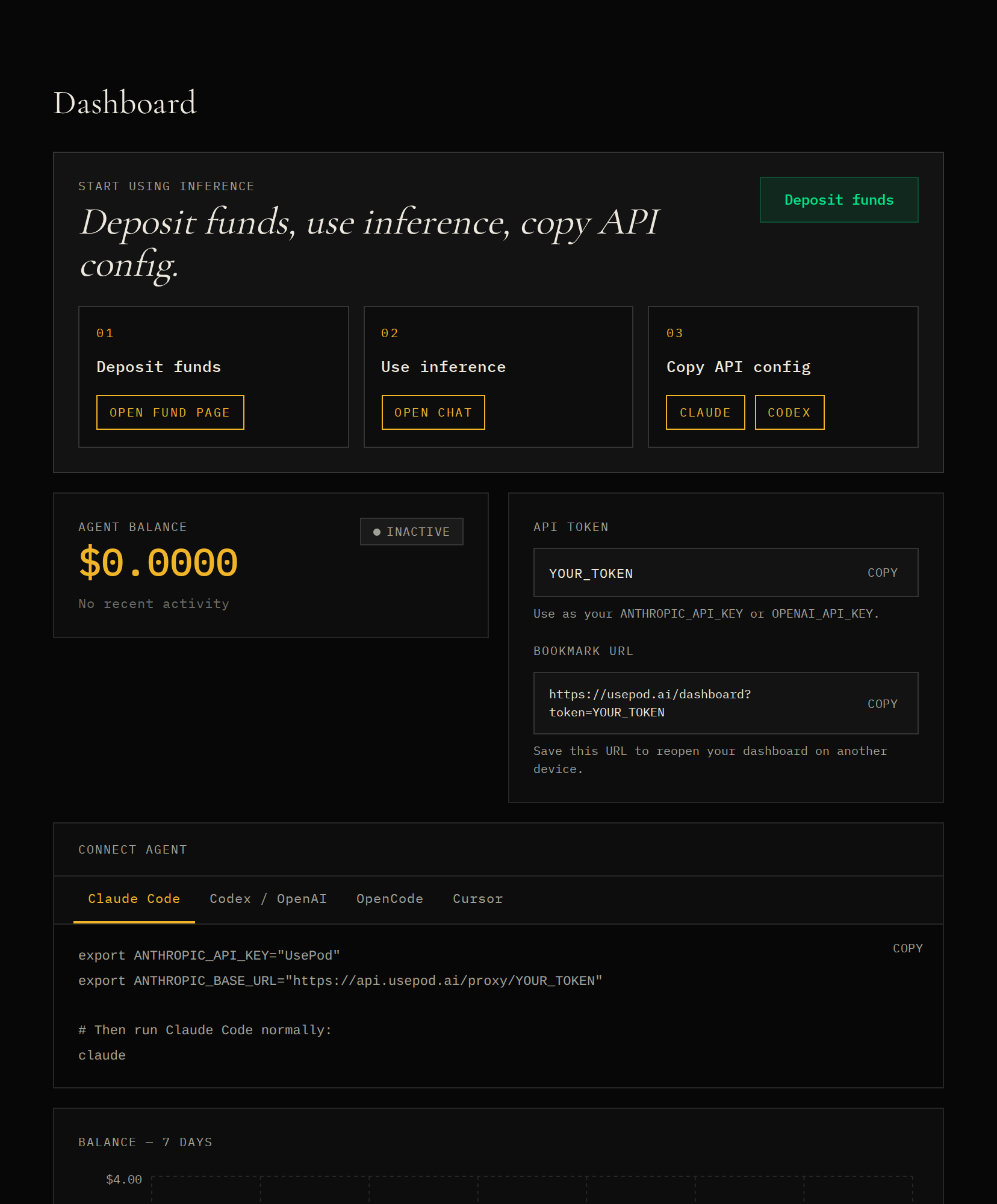
Section titled “Walk through it in the dashboard”Prefer a UI to the API? The dashboard does the same three steps — register, fund, connect — and hands you copy-paste client config.
Your dashboard. After you register, the dashboard shows your API token, a ready-to-paste config for Claude Code / Codex / OpenAI / Cursor, your balance, and recent activity. Save the bookmark URL it gives you to return later.
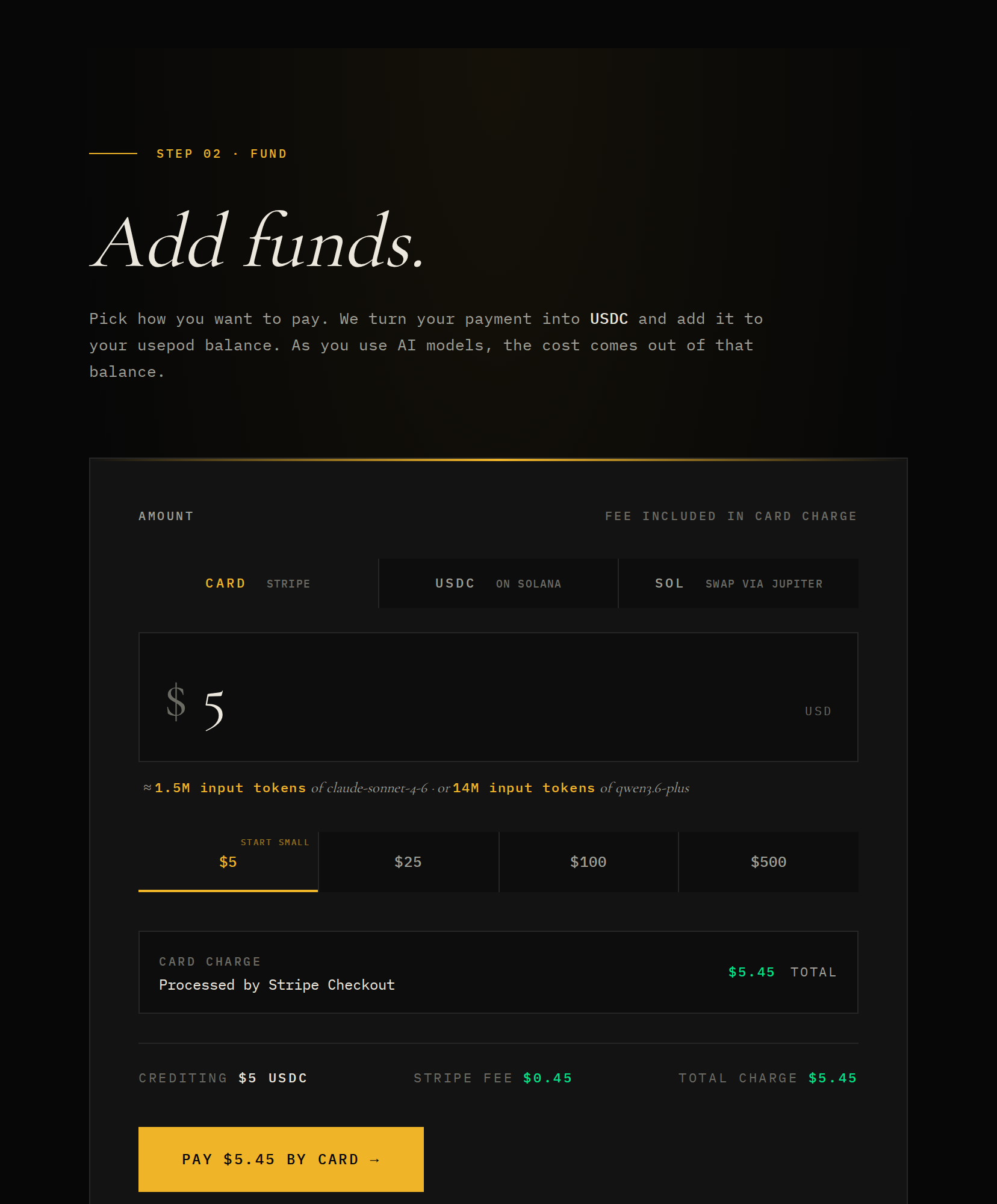
Add funds. Open Fund and choose how to pay — card (Stripe), USDC on Solana, or SOL swapped via Jupiter. Your dollar amount becomes a USDC balance that each request draws down.
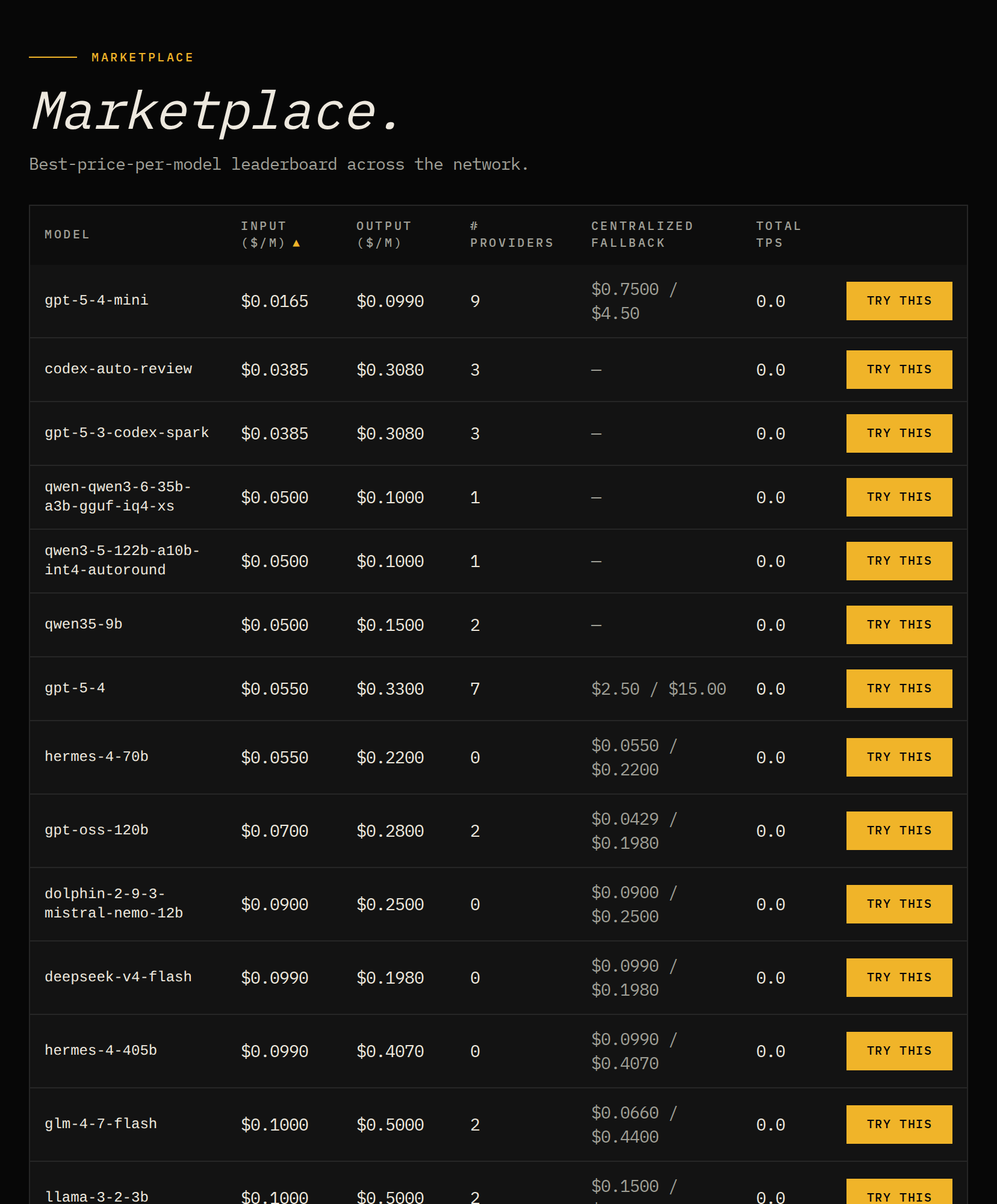
Browse models and prices. The Marketplace lists every model with its best per-million input/output price, how many providers are online, and the centralized fallback price.
Next steps
Section titled “Next steps”- Drop-in API — exact base URLs and supported clients.
- Spend controls — cap the price you’ll pay per model.
- Funding your balance — card and USDC top-ups.